

Artificial intelligence tools are growing fast, and ChatGPT is one of the most widely used AI platforms today. Along with its popularity, many terms have appeared online. One of the most talked-about terms is godmode chatgpt. People often search for it, but many are confused about what it actually means.
What Is Godmode ChatGPT?
Godmode chatgpt is not an official feature released by OpenAI. Instead, it is a community-created term used to describe advanced prompting techniques that aim to get more detailed, structured, or specific responses from ChatGPT.
In simple words, godmode chatgpt means using very detailed prompts to guide ChatGPT’s behavior. These prompts often include instructions about tone, role, format, and depth of answers. The AI still follows its rules and limitations, but the output may feel more powerful or focused.
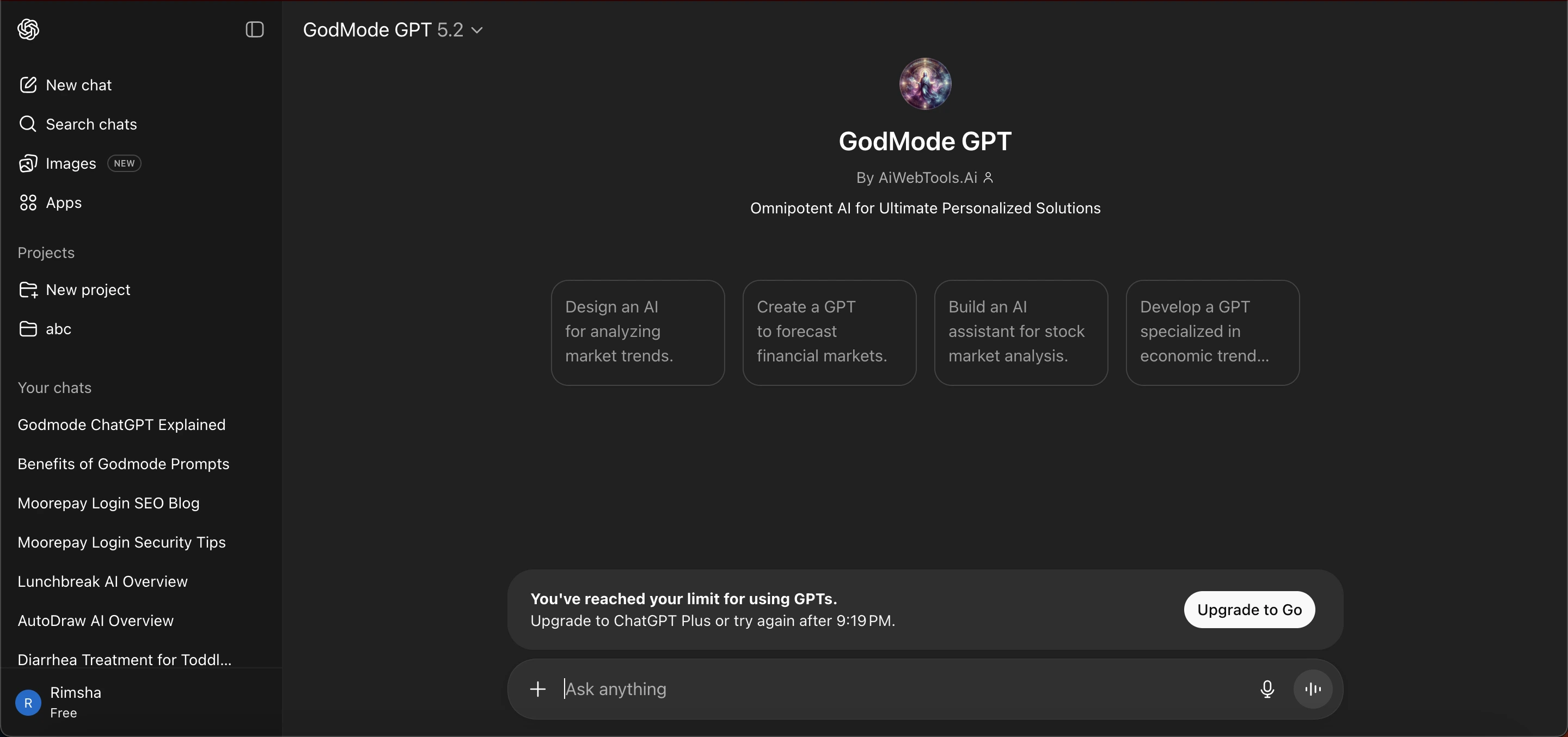 It is important to understand that godmode chatgpt does not unlock hidden powers, remove safety filters, or provide access to restricted information.
Why Is Godmode ChatGPT So Popular?
The popularity of Godmode ChatGPT stems from three main factors. Users want more control over AI responses, people frequently share prompt templates on forums and social media, and the term itself sounds powerful and appealing.
Many users have found that carefully crafted prompts lead to better answers. Over time, this practice of optimizing prompts became popularly known as Godmode ChatGPT, even though it is essentially just effective prompt design.
How Godmode ChatGPT Actually Works
Godmode ChatGPT works by providing ChatGPT with clear instructions on how to respond; the AI itself does not change internally only the input does.
A typical Godmode-style prompt may specify a defined role (such as writer, teacher, or analyst), the desired output format (steps, tables, bullet points), tone (simple, professional, or friendly), and depth level (basic or detailed explanation).
This approach helps ChatGPT better understand and meet the user’s expectations.
Key Features of Godmode ChatGPT
Although godmode chatgpt is not a tool, users associate it with certain benefits when prompts are written well.
1. Better Response Structure
Clear prompts often lead to organized answers with headings, steps, or lists.
2. Improved Clarity
When instructions are specific, ChatGPT avoids vague replies.
3. Consistent Tone
Users can request a consistent writing style across long content.
4. Task-Focused Output
Prompts help keep the response aligned with a single goal.
5. Time Saving
Good prompts reduce the need for repeated follow-ups.
Read Also: GPT Zero AI Checker: Ultimate Guide & Features
Use Cases
People use godmode chatgpt techniques in many everyday tasks. Below are practical and realistic examples.
1. Content Writing and Blogging
Writers use Godmode ChatGPT prompts to create blog outlines, improve readability, maintain SEO structure, and generate FAQs and summaries.
This approach helps speed up content drafting, though human review remains essential to ensure accuracy, tone, and quality.
2. SEO and Website Content
SEO professionals use Godmode ChatGPT prompts to write meta titles and descriptions, improve keyword placement, structure long-form content, and generate internal linking ideas.
While this approach aids in content planning and optimization, it should complement not replace a well-rounded SEO strategy.
3. Education and Learning
Students and teachers use Godmode ChatGPT prompts to simplify complex topics, create practice questions, explain concepts step by step, and summarize long notes.
The tool works best when prompts clearly specify the learner’s level, ensuring explanations are appropriate and easy to understand.
4. Business and Productivity
Professionals use Godmode ChatGPT prompts to write emails, create reports, generate meeting notes, and draft proposals. This approach helps improve both speed and organization in daily work tasks.
5. Coding and Technical Help
Developers sometimes use Godmode ChatGPT prompts to explain code logic, debug simple issues, generate sample snippets, and understand error messages. However, it should not be considered a replacement for proper testing or official documentation.
Read Also: Sentence Builders: Improve Writing Skills Easily
Pros and Cons
Benefits of Godmode ChatGPT Prompts | Limitations of Godmode ChatGPT |
|---|---|
More Relevant Answers Produces responses that closely match your intent. | Accuracy Is Not Guaranteed ChatGPT can still make mistakes. |
Less Back-and-Forth Reduces the need for repeated clarifications. | No Access to Live Data Cannot browse the internet unless enabled in supported environments. |
Clear Formatting Provides structured and easy-to-read responses. | No Policy Bypass Safety and usage rules always apply. |
Better User Satisfaction Users get goal-focused and useful results. | Depends on Input Quality Poor prompts lead to poor results. |
Efficient Workflow Saves time when prompts are well-written. | Limitations Remain Advanced prompts cannot solve every problem. |
Is Godmode ChatGPT Safe to Use?
Using Godmode ChatGPT prompts is safe as long as they follow platform rules. Providing detailed instructions does not violate any policies. Problems only occur when users try to request restricted content, misrepresent AI capabilities, or spread false claims.
Responsible use is essential to ensure safety and compliance.
Best Practices for Using Godmode ChatGPT
To achieve the best results with Godmode ChatGPT, it’s important to follow a few simple best practices.
First, be clear and specific in your prompts providing precise instructions helps the AI understand exactly what you need. Avoid long or confusing instructions, as overly complex prompts can lead to unclear or off-target responses.
Focus on one task at a time to ensure the output remains relevant and manageable. Always review and edit the AI-generated content before using it, since even advanced prompts cannot guarantee perfect accuracy.
Finally, do not rely blindly on AI; use it as a supportive tool rather than a complete replacement. Following these practices not only improves the quality of your results but also aligns with overall content quality standards.
Common Mistakes to Avoid in Godmode ChatGPT
Using godmode chatgpt prompts can be very effective, but many users make mistakes that reduce the quality of AI responses. Being aware of these errors can help you get better results every time.
1. Writing Vague Prompts
One of the most common mistakes is giving unclear instructions. For example, asking “Write about AI” is too general. Instead, specify the tone, format, and depth of the response.
2. Overloading the Prompt
Some users include too many instructions in a single prompt. This can confuse ChatGPT and produce incomplete or messy answers. It’s better to break tasks into smaller, focused prompts.
3. Ignoring AI Limitations
Even with advanced prompts, ChatGPT cannot provide real-time data, access private information, or bypass safety filters. Expecting too much can lead to disappointment or misinformation.
4. Forgetting to Review Outputs
Many users rely entirely on AI outputs without reviewing them. Always check for accuracy, grammar, and relevance, especially for professional or public-facing content.
5. Using Prompts That Are Too Complex
Extremely long or complicated prompts can confuse ChatGPT. Keep your instructions simple, clear, and actionable.
6. Repeating the Same Prompt Without Adjustments
If the response is not what you expected, don’t just resend the same prompt. Refine your instructions or break them down to get better results.
Future of Godmode ChatGPT Concepts
The term Godmode ChatGPT may continue to evolve, but the core idea remains: better prompts produce better results. As AI tools improve, strong prompt skills will continue to be valuable for productivity, learning, content creation, and problem solving.
Tips for Beginners Using Godmode ChatGPT
If you are new to godmode chatgpt, learning how to write effective prompts can feel overwhelming. These simple tips will help you get started and make the most of your AI interactions:
1. Start Simple
Begin with short and clear prompts. Avoid overcomplicating instructions. For example, instead of asking, “Write a blog post about AI and its applications in multiple industries in 1,000 words with subheadings and SEO keywords”, start with: “Write a 3-paragraph overview of AI applications in industries.”
2. Be Specific About Output
Specify the format, tone, and style you want when prompting ChatGPT. For example, set the tone to friendly, professional, or informative; choose a format such as a list, table, steps, or paragraph; and indicate the level, like beginner-friendly or detailed explanation.
Providing these details helps ChatGPT deliver responses that better match your expectations.
3. Use Step-by-Step Instructions
Breaking tasks into steps improves clarity and makes responses more manageable. Instead of asking for everything in a single prompt, try splitting it up for example: “Write an outline for a blog on AI in healthcare,” then “Expand the first section in simple language,” and finally “Create 5 FAQs related to the topic.”
This approach helps ChatGPT deliver more accurate and organized results.
4. Review and Refine
Even with good prompts, always check the output for accuracy, grammar, and relevance. Adjust your prompts if the answer is not as expected.
5. Learn From Examples
Study examples of effective godmode chatgpt prompts online or in AI communities. This helps beginners understand how to structure prompts for better results.
6. Be Patient
Getting the hang of advanced prompting takes practice. Don’t expect perfect results immediately experiment and learn what works best for your goals.
Final Thoughts
Godmode chatgpt is not a secret tool or special mode. It is simply a popular name for advanced prompting methods that help users communicate better with ChatGPT.
When used responsibly, godmode chatgpt techniques can improve clarity, save time, and enhance results. However, it is important to stay realistic, verify information, and follow platform guidelines.
Understanding what godmode chatgpt truly is helps users avoid confusion and make better use of AI tools in everyday tasks.
Frequently Asked Questions (FAQs)
What is Godmode ChatGPT?
Godmode ChatGPT is a popular term for using advanced prompts to get more detailed, structured, or specific responses from ChatGPT. It is not an official feature or secret mode.
Is Godmode ChatGPT safe to use?
Yes. Using godmode chatgpt prompts is safe as long as you follow OpenAI’s usage rules and do not request restricted or unsafe content.
Does Godmode ChatGPT unlock hidden features?
No. Godmode ChatGPT does not unlock hidden powers or remove safety filters. It simply refers to better prompting techniques.
How do I use Godmode ChatGPT effectively?
Use clear, specific instructions including the role, output format, tone, and depth. This helps ChatGPT provide more focused answers.
Can Godmode ChatGPT improve SEO content?
Yes. By using structured prompts, you can get well-organized blog posts, meta titles, descriptions, FAQs, and outlines. Always review and optimize manually.