

In today’s fast‑moving academic world, students need tools that make learning easier and faster. QuizMate is one such tool that many learners are using to get instant help with homework, study efficiently for exams, and save a lot of time.
What Is QuizMate?
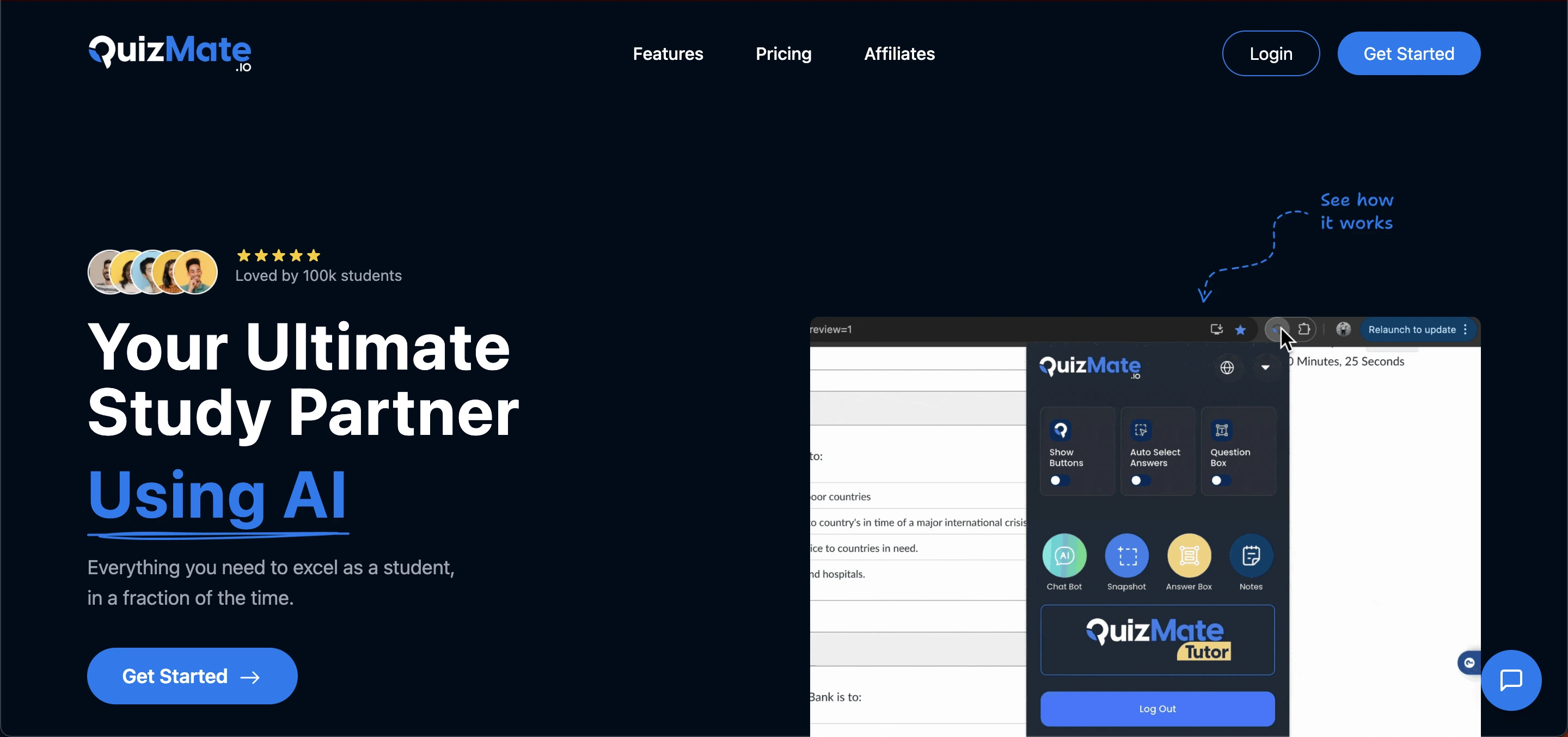
QuizMate is an AI‑powered educational tool designed to help students learn faster and more effectively. It works as a study partner that gives instant answers, detailed explanations, notes, flashcards, and more.
Students can use it through a browser extension or a mobile app, making it simple to access help anywhere.
 Instead of spending hours looking up answers in textbooks or on the internet, QuizMate allows users to quickly get the information they need in a clear and easy‑to‑understand way. Because of this, many students use it for homework help, test preparation, and daily study support.
How Does It Work?
QuizMate uses artificial intelligence to understand your questions and provide accurate answers. Here’s how it works in simple steps: first, you ask a question by typing it or snapping a photo in the mobile app.
QuizMate then analyzes the question using advanced AI and educational databases. You receive an instant answer, often with a clear, step‑by‑step explanation.
Additionally, the app offers tools to generate notes, create flashcards, or summarize lectures, helping you study more efficiently.
Key Features
Here are the main features:
1. Instant Answer Help
With QuizMate’s AI, students can get instant answers to questions from any subject. Whether it’s math, science, or literature, most questions are answered quickly with explanations to help you understand the logic.
2. Mobile App Support
It is available on iOS through a mobile app. You can simply snap a picture of a question and receive answers anywhere, without typing.
3. Detailed Step‑by‑Step Explanations
More than just giving answers, It provides explanations that show you how the answer was reached. This helps make learning deeper and clearer.
4. Flashcards and Practice Tools
Students can create custom flashcards or practice quizzes based on their study material. This feature can help with revision and memory.
5. Lecture Notes Generation
QuizMate can save time by transforming long lecture content into clean and concise notes for easier review.
6. Browser Support
Using the Chrome extension, It can integrate with online platforms and help you get answers while working in your browser.
7. Wide Subject Coverage
Whether it’s chemistry or history, QuizMate covers many subjects, making it a helpful tool for many types of learners.
Read Also: Avidnote Review: Smart Research Notes Made Easy
Use Cases
Below are some of the most common:
1. Homework Help
Many students use QuizMate to answer tough homework questions quickly. You get not just an answer, but explanations that help you learn the topic better.
2. Exam Preparation
When preparing for tests, you can use it to review key concepts and practice with flashcards and quizzes created from your notes.
3. Lecture Review
Instead of writing notes by hand, students can use it to summarize lessons, saving time and improving focus during class.
4. Fast Fact Checks
If you need to verify information quickly, QuizMate answers facts instantly, helping you check your knowledge fast.
5. Study on the Go
With the mobile app, you can study anywhere on your commute, during breaks, or in the library without textbooks.
6. Language Learning
Because QuizMate supports multiple subjects and explanations, it can also be helpful for students learning new languages or writing essays in different formats.
Read Also: Is QuillBot AI Detector Accurate: Complete Review 2025
How to Sign Up
Visit the Website or App Store Go to QuizMate.io or open the iOS/Android app store.
Download the App Install the QuizMate app on your mobile device (or use the browser version).
Create an Account Open the app or website and click Sign Up. Enter your email, set a password, and confirm.
Verify Email Check your inbox for a verification email and confirm your account.
Login Enter your registered email and password to log in and start using QuizMate.
Optional: Subscribe Access advanced features by choosing a subscription plan if needed.
Pros and Cons
Pros | Cons |
|---|---|
Saves Time Get answers instantly without searching online. | Subscription Costs Some features require a paid plan; free version may be limited. |
Improves Understanding Step-by-step explanations help you learn rather than just memorize. | Accuracy Limits AI answers may not always be fully accurate; double-check important info. |
Boosts Confidence Clear explanations make you feel confident before tests or quizzes. | Browser Compatibility The extension may not work perfectly on all platforms or portals. |
Flexible Learning Use QuizMate at home, school, or on the go. | Academic Integrity Using QuizMate in graded tests without permission may violate school rules. |
Accessible for Many Subjects Supports science, math, languages, and more. | – |
Pricing Overview
QuizMate offers different subscription options, typically including weekly, monthly, and yearly plans, with prices varying by region and platform. The weekly plan is a small, short-term option for temporary use, while the monthly plan suits students preparing for exams.
The yearly plan provides the best value for long-term learners. Many users start with the free version before deciding whether to upgrade to a full subscription.
Tips to Get the Most Out of QuizMate
To get the most out of QuizMate, always read the step‑by‑step explanations rather than just taking the answer, as this helps deepen your understanding of the topic.
Use flashcards for revision by creating them from your weak points and reviewing them frequently.
Combine QuizMate with textbooks and class notes for the best results, and check your school’s policies to ensure such tools are allowed during tests and quizzes. Finally, practice regularly, especially before exams, to maximize learning and retention.
QuizMate vs Other Tools
Feature / Tool | QuizMate | Chegg | Brainly | Quizlet |
|---|---|---|---|---|
Answer Source | AI-generated instant answers with step-by-step explanations | Expert-verified textbook solutions & tutors | Community-driven answers from students & educators + AI | User-created flashcards, practice tests, and learning sets |
Primary Use | Quick homework help, study support, flashcards, notes | In-depth homework help, tutoring, textbook solutions | Peer Q&A, community learning | Memorization, active recall, practice tests |
Speed | Instant | Moderate (depends on textbook / tutor response) | Varies (depends on community responses) | Instant for flashcards/practice sets |
Accuracy | High for common questions; AI may need double-checking | High; expert-verified | Varies by contributor | High for flashcards; not for AI-generated explanations |
Subjects Covered | Wide range: Math, Science, History, Languages, etc. | Wide range: Math, Science, Engineering, Business | Wide range, user-dependent | Wide range but mainly for memorization-based subjects |
Mobile Support | iOS app (some Android support) + browser | iOS & Android apps | iOS & Android apps | iOS & Android apps |
Browser Extension | Chrome extension available | No | No | No |
Flashcards / Notes | Yes, can generate automatically | Limited | No | Yes, focus on flashcards & tests |
Cost | Free version available; paid subscriptions for full features | Higher subscription cost | Free with premium options | Free with premium subscription for advanced features |
Best For | Instant AI explanations, homework help, quick study | Expert guidance, textbooks, tutoring | Community learning, shared answers | Memorization, revision, interactive practice |
Limitations | AI may not be perfect; subscription needed for advanced features; browser issues possible | Expensive; depends on tutor availability | Answer quality varies; response times vary | Not AI-powered; limited for problem-solving or step-by-step explanations |
Common Problems and How to Solve Them
While QuizMate is a powerful study tool, some users may encounter minor issues. The app may sometimes crash or freeze, which can usually be fixed by restarting the app, clearing cache, or reinstalling it.
Slow AI responses can occur during high traffic or with a weak internet connection, so checking your connection or trying again later often helps. Users may also face browser extension issues; keeping your browser updated, disabling conflicting extensions, or restarting the browser usually resolves these problems.
The free version of QuizMate has limited features, so upgrading to a subscription may be necessary for full access to answers, flashcards, and notes. Login or account issues can be solved by resetting your password or contacting QuizMate support.
Finally, while QuizMate provides accurate answers for most questions, it’s always a good idea to double-check AI-generated solutions, especially for important assignments or exams.
Final Thoughts
QuizMate is a useful AI‑powered study companion that helps students get answers quickly, understand difficult topics, and organize study materials efficiently. With tools like instant explanations, mobile access, and practice features, it can save you time and help improve academic performance.
At the same time, remember to balance its use with traditional learning methods and be cautious about subscriptions and academic policies. When used responsibly, QuizMate can be a powerful partner in your learning journey.
Frequently Asked Questions (FAQs)
What is QuizMate?
QuizMate is an AI-powered study tool designed to help students get instant answers, explanations, notes, and flashcards. It works on mobile and browser platforms, making learning faster and easier.
How does QuizMate work?
QuizMate uses AI to analyze your questions or study material and provides instant answers, detailed explanations, and study tools like flashcards or notes. You can type questions or use the mobile app to snap a picture.
Is QuizMate free?
QuizMate offers a free version with limited features. For full access, including unlimited answers and advanced study tools, a paid subscription is required.
Can QuizMate help with all subjects?
QuizMate supports a wide range of subjects including Math, Science, History, Literature, and more. However, it may not be perfect for highly specialized topics.
Can I use QuizMate on mobile?
Yes, QuizMate has a mobile app for iOS (and some versions for Android) that lets you study on the go and even snap pictures of questions for instant help.